Type It. Animate It. Ship It.
Nobody wants to animate frame by frame. Describe a move in plain English, and your Roblox character does it.
Credit packs start at $7, with no subscription.
How It Works
Type a move, and you get 4 versions for the price of one. Choose your favorite. Then put it on your character in Roblox Studio with our free plugin.
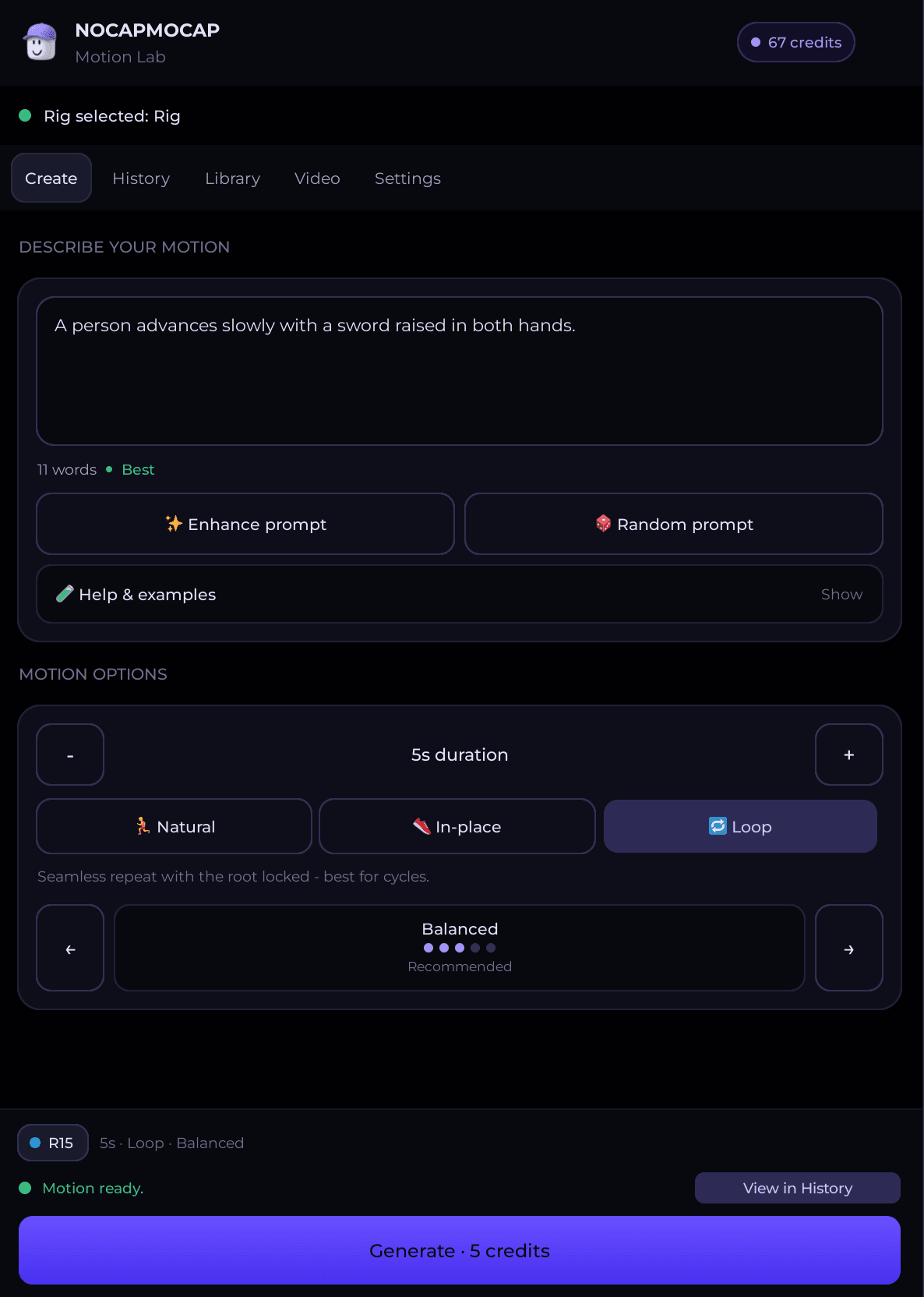
Animate without leaving Studio
Motion Lab is our free plugin for Roblox Studio. Type a move or add a video, then watch it play on your own character. If you like it, save it on your character. Or publish it to your Roblox account, so your game can play it.
 Make animations from text or video, inside Studio
- Watch each one play on your own R15 character before you save it
- Import the Roblox R15 animations you made on the website
For AI agents
Let your coding agent make the animations
Paste one prompt into Claude Code, Codex or Cursor. Your agent shows you how to connect. Then it makes the animations for you.
Setup prompt for your agent
Claude Code · Codex · Cursor · other MCP apps

Your password stays yours
You make the connection in your account settings. Your agent never sees your password.

You set the budget
Choose how many credits your agent can spend. You can cancel its access at any time.

You see the price first
Your agent tells you what an animation costs before it spends a credit.
 Straight from the generator
Every one of these started as a sentence
Each clip shows the prompt behind it. Open one to spin it in 3D.
Where do you want to start?
Type the move you want, or film it. Either way, you get an animation.

 FAQ
FAQWhat people ask first

hey — i’m Daniel
the animator behind NoCapMocap
i started out doing 2D motion animation in After Effects. a few years ago i got into 3D, fell in love with it, and taught myself Blender.
then i started a YouTube channel making 3D crime videos — and hit the same wall every project: character animations. you either reuse the same Mixamo clips everyone’s seen a thousand times, or pay for expensive animation packs. i was already buying clothing packs for my characters. it adds up fast.
early this year i realized AI motion models had gotten genuinely good — type a prompt, get an animation that actually looks right. so i built this for my own videos.
turns out a lot of Roblox creators and game devs were stuck in the same Mixamo loop. so i turned it into NoCapMocap.
no mocap suit, no recycled packs — just describe the move you need. go generate one and judge the quality yourself.
Daniel @0xCarnival
Plays nice with your other tools
Roblox Studio gets R15 animations. The other tools get a standard FBX file.




Hang out with other creators
Show us what you make. Ask other creators for help. Tell us what to build next.
Made with NoCapMocap.
Plans
Prices are in USD. Checkout adds sales tax or VAT where it applies.

Starter
For one creator who makes a few animations a month.
$9/month
50 credits every month
~50s of animation, 18¢ per credit
 2 generations at once
 50 Library slotsEach slot keeps one saved animation.
 30-day History
 Email support
 Recommended
Pro
For a game that gets new animations every week.
$29/month
250 credits every month
~4 min 10s of animation, 11.6¢ per credit
- 4 generations at once
- 200 Library slotsEach slot keeps one saved animation.
- 60-day History
- Priority support

Studio
For a team that makes animations every day.
$79/month
1,000 credits every month
~16 min 40s of animation, 7.9¢ per credit
- 6 generations at once
- 1,000 Library slotsEach slot keeps one saved animation.
- 90-day History
- Dedicated support
Credit packs
Credit pack
Pay once. No subscription.
$20
Save 29%100 credits at 20¢ each, ~1 min 40s of animation
Pack credits never expire, so there is no rush. Plan credits refill every month, and unused plan credits do not move to the next month.