NoCapMocap Motion Lab — the AI animation plugin for Roblox Studio
Generate R15 animations from text or video and drop them onto any rig in one click — without leaving Roblox Studio.
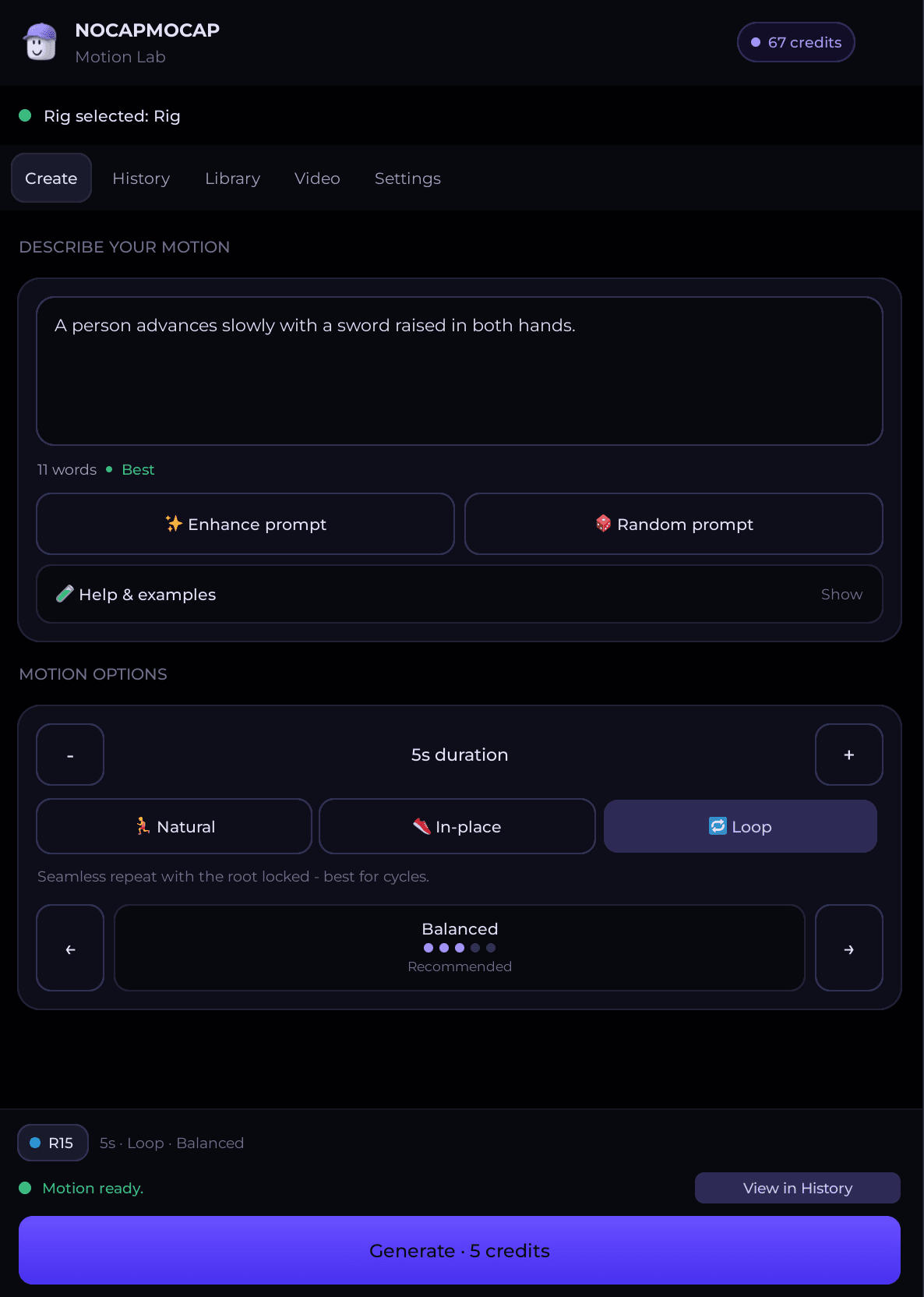
Meet NoCapMocap Motion Lab
Generate, preview, and import animations without leaving Roblox Studio. Create from text or video right in the plugin — or send over a motion you made on the web — then drop it onto any R15 rig in one click.
- Generate from text or a video reference inside Roblox Studio
- One-click import onto any R15 rig — no copy-paste
- Pull in everything from your web History and Library
Built into Roblox Studio
Everything you need to go from idea to a rigged R15 animation, without ever leaving Studio.
Generate inside Studio
Create animations from a text prompt or a video reference right in the plugin — no tab-switching, no manual export.
One-click R15 import
Drop any motion onto any R15 rig in a single click. No copy-paste, no upload step, no rigging.
Synced with the web
Reach everything from your NoCapMocap web History and Library, right inside Studio.
Free to install
Motion Lab is free on the Roblox Creator Store. You only spend credits when you generate a new motion.
How It Works
Generate inside the NoCapMocap Motion Lab plugin or on the web — then preview and apply the animation to any R15 rig, right in Roblox Studio.
Install Motion Lab in 5 steps
From a fresh Roblox Studio to your first imported R15 animation in a few minutes.
- 1
Install Motion Lab
Get NoCapMocap Motion Lab from the Roblox Creator Store, then open or restart Roblox Studio so the plugin loads.
- 2
Enable HTTP requests
In Studio, go to File → Experience Settings → Security and turn on Allow HTTP Requests so the plugin can reach your account.
- 3
Connect your account
Open the NoCapMocap toolbar, click Motion Lab, then Connect account. Approve the short code in your browser to link your NoCapMocap account.
- 4
Generate or import a motion
Create a new animation from text or video in the plugin, or pull a finished motion from your History or Library tab.
- 5
Apply it to your rig
Select an R15 rig in your Workspace, click Apply to selected rig, preview the motion in Studio, and ship it.

Motion Lab plugin questions
The things Roblox creators ask before installing.
Join the Roblox creator community
Share what you’re shipping, get help with R15 rigs, vote on plugin features, and trade prompts with other Roblox creators.
Recently shared motions from the NoCapMocap community.