
 The Animator
A free Roblox animation editor, right in your browser
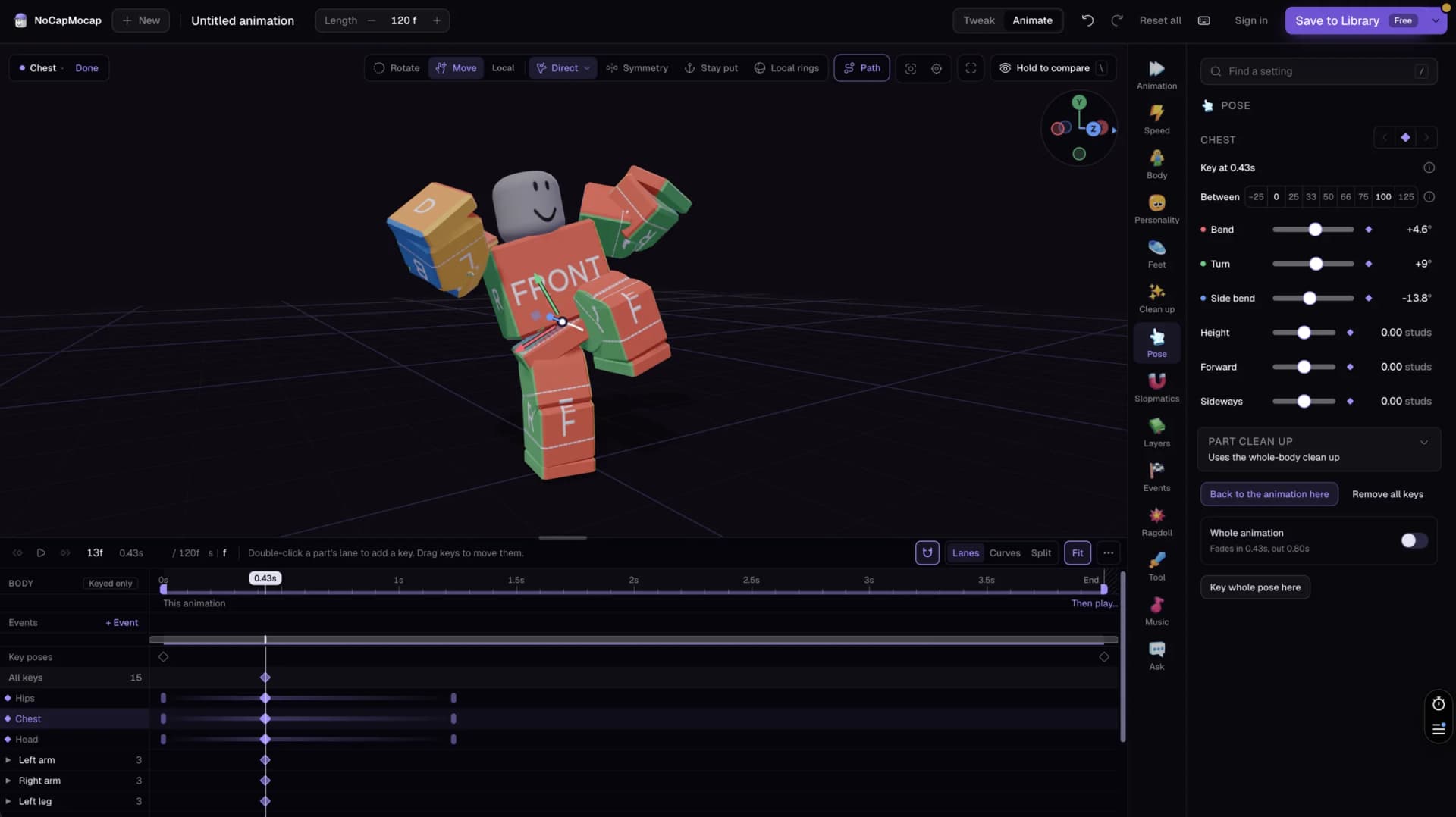
Pose your R15 character, key each pose on a timeline, and press Play. Our Roblox animation editor runs in a browser tab, so you do not install anything.
Open the AnimatorIt is free, and you do not need an account to start.
Already have an account? Open the Animator in your dashboard
Did the AI get the move almost right?Fix it yourself.
Sometimes a move from your prompt or your video is almost perfect. But an arm goes through the body, or a foot slides. You do not have to spend credits on a new one. Open it in the Animator, and fix that one part.

Start without an account
Choose a standing pose or a T-pose, and key the move yourself. Or open one of our moves from the home page, and change it any way you like.

Fix a move you made
Sign in, and open a Roblox animation that you made with text or video. Fix the part that bugs you, then save it to your Library.
Pose it. Key it. Play it.
Pose your character by hand, and shape the timing on a timeline. Then set it up for your game.

Pose every part
Pick a part of your character, and turn it with the rings. Drag a hand or a foot, and the arm or leg follows. Symmetry poses both sides at once.

Key it on a timeline
Key a pose, move the playhead, and key the next one. Then pick an easing for the move between two keys. Copy keys, and paste them at another time.

Ready for your Roblox game
Choose if it loops, set its Priority, and choose which parts it moves. Add events, like a footstep, that your game can listen for.
 Loops
Loops Priority
 Whole body
 Events
From a T-pose to your game
You can do the first two steps without an account.
 1
1Open the Animator
Start a new animation from a standing pose or a T-pose. Your R15 character waits on the stage.
 2
2Pose it and key it
Pose your character, and key each pose on the timeline. Press Play to watch it move.
 3
3Sign in free to save it
Press Save, and sign in with a free account. Then save your animation to your Library. A save costs no credits.
 4
4Put it on your character in Studio
Open our free Motion Lab plugin in Roblox Studio. Your Library is there, so you can put the animation on your R15 character.
Animate without leaving Studio
Motion Lab is our free plugin for Roblox Studio. Type a move or add a video, then watch it play on your own character. If you like it, save it on your character. Or publish it to your Roblox account, so your game can play it.

 Make animations from text or video, inside Studio
- Watch each one play on your own R15 character before you save it
- Import the Roblox R15 animations you made on the website
 FAQ
FAQWhat people ask before they animate
We give you the honest answers, and the limits too.