ChatGPT did it again. I asked it for an AI animation tool for Roblox, and it gave me a new name: MocapGen.
Then I found a page on their site. The name of the page is "NoCapMocap alternative". On that page, they put our tool and their tool through 12 prompts. And, what a surprise, their tool came out ahead on most of their numbers.
I laughed so hard.
So I made an account. I used a throwaway account, of course.
I build NoCapMocap, so I am not neutral. But MocapGen is not neutral either. Their own page says: "We ran it ourselves, and we make one of the two tools."
In their test, a script measured the hips and ankles in the files, and an AI rater scored pictures of stick figures. I did one thing that they did not do: I took their files into Roblox Studio. I tested MocapGen on 19 October 2026.
The short answer
Pick NoCapMocap.
MocapGen calls itself a NoCapMocap alternative. An alternative must do the same job. And the job is simple: your move, on your character, in Roblox Studio. In my test, MocapGen did not do that job.
To be fair, MocapGen has two good things for a new account. You can watch one free preview before you pay. And you get 5 free downloads from their gallery of animations. Below, you can read what happened when I tried one.
| Round | Result |
|---|---|
 1. Film a move |  Not tested yet |
 2. Type a move |  Tie |
 3. Into Roblox Studio |  NoCapMocap wins |
 4. Fix it in the editor | NoCapMocap wins |
 5. What it costs | NoCapMocap wins |
 Final score | NoCapMocap 3, MocapGen 0. 1 tie, 1 not tested yet. |
 Pick NoCapMocap if
 You want your move on your R15 character in Studio.
- You want an editor that fixes your move, not only a check that finds problems.
- You want to film up to 8 people in one clip.
- You make a lot of short moves, and you want to pay only for the seconds.
- You want to start from a voice clip, or make a whole crowd from one description.
- You only want to watch one typed move for free.
- You want to download 5 free animations from their gallery.
Round 1: Film a move
I wanted to test this round the most. Video is where NoCapMocap is strongest. And with several people in one clip, it is not even close.
But MocapGen gives no free credits, and I used my one free preview on a typed move. So I did not test their video round yet. When I do, I will add the result here.
Their video page already tells you one important thing:
"Keep one person in the shot. Clips with more than one person fail, and you get your credits back."
On NoCapMocap, one clip can have up to 8 people, and you get an animation of each person. So film the whole squad in one take.
With NoCapMocap, you film the move, trim up to 20 seconds, and see the price before you press Generate. Video-to-Motion is in beta, and it gives you an animation of your clip. For tips on how to film your clip, read our checklist on how to turn a video into a Roblox animation.

Round 1 result. Not tested yet. I used my free MocapGen preview on a typed move, so I did not test their video. Their page says that clips with more than one person fail.
Round 2: Type a move
MocapGen gives a new account no free credits. You get one free preview instead: 2 versions of a move, up to 4 seconds, to watch on their site. To download the files, you must pay.
I used my preview on one of their own sample prompts:
"a shopkeeper waves hello and points at the counter"
The first version came out. The second version took longer. The move was close to the prompt, but not exactly.
Now read the small text under the preview. To download, you must unlock the preview. Their text says: "Unlocking runs your prompt again as a full generation." So you do not pay for the move that you watched. You pay for new moves that you did not see yet.
Each version also gets a "Roblox check" for problems like the wrong length or missing R15 parts. That sounds nice. But no AI move is perfect on the first try. A check can tell you about a problem, but a check cannot fix the problem. For that, you need an editor. More about that below.
Then I looked for my animation. Their site has a My Motions page. But to me, the whole site felt like one long home page: a prompt box, then free animations, then blog posts.
Their page says that both tools use the same AI model for typed moves. So the move itself starts in the same place. What matters is what happens next. Can you get the move onto your character? And can you fix it?
On NoCapMocap, a standard prompt gives you 4 versions of the move, and you keep your favorite in your Library. Our guide to the easiest way to make Roblox animations shows how to write a good prompt.
This round is a tie. The next round is not.

Round 2 result. Tie. The MocapGen page says that both tools use the same AI model for typed moves. In my test, its free preview gave 2 versions, and the move was close to the prompt, but not exactly.
Round 3: Into Roblox Studio
This is the big promise on their home page:
"Files come out on the R15 rig, and the .rbxmx drops into Studio with Insert from File. No Blender, no plugins."
Their NoCapMocap alternative page also says that MocapGen "kept feet on the floor more often". So I took a free animation from their gallery, Casual walk. I downloaded both files: the .rbxmx and the R15 FBX.
In Studio. Their home page gives the steps: download the .rbxmx, choose Insert from File, and open it in the Animation Editor. I did that on an R15 character. The Animation Editor had nothing to load.
So I imported their file in the Animation Editor. This time it played, and I wished that it did not:
- The character bounced up and down.
- The head looked in the wrong direction.
- The arms were wrong too.
So much for feet on the floor.
In Blender. Next, I opened the R15 FBX in Blender. The move played normally, and Blender showed an R15 rig.
Then I looked at the character. It is not the real R15 character. To me, it looks like somebody put the body parts together by hand. The move works in Blender, but I do not think that this file is ready for Roblox Studio.
Two files. Zero moves that I can use in my game.
"No plugins" sounds great. But a plugin was never the problem. A move that breaks on your character is the problem.
With NoCapMocap, our free Motion Lab plugin is in the Creator Store. It shows your Library inside Studio. Put the animation on your R15 character, or publish it to your Roblox account. When you publish, Roblox gives the animation a number, called an Animation ID, and your game uses that number to play it. Yes, you install a plugin. It is free, and it works.
Do you prefer copy and paste? Copy the animation on our website, and paste it in Studio with the community RBXMonkey plugin. This is how long that takes:
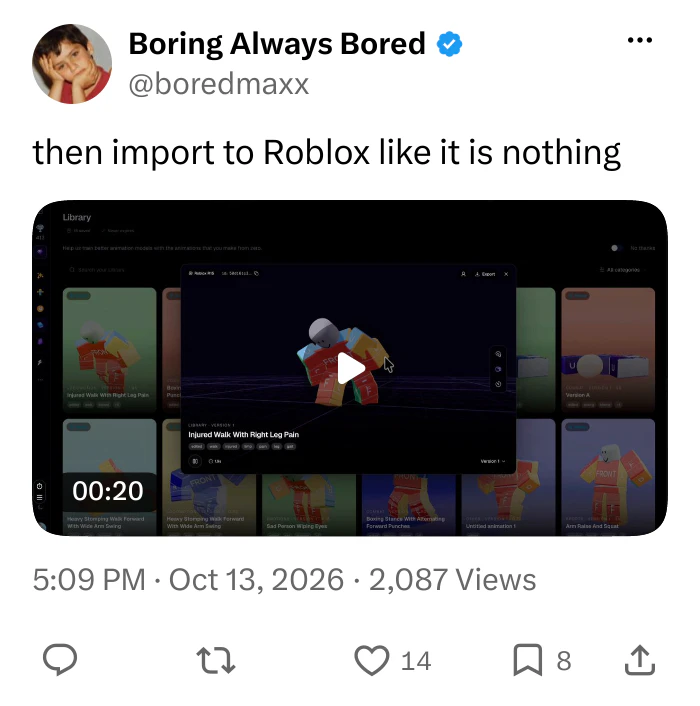
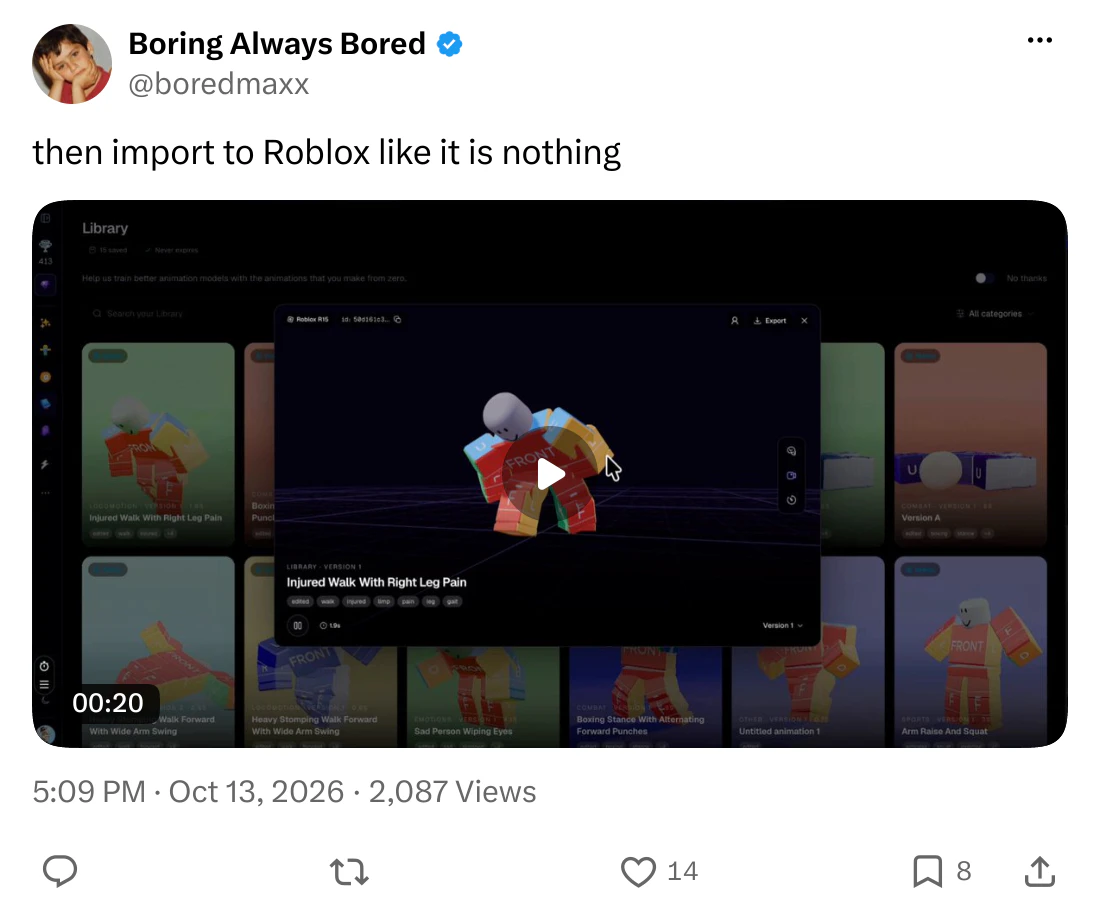
For each step, read our guide on how to get an animation into Studio.

Round 3 result. NoCapMocap wins. In my test, the free Casual walk from MocapGen bounced up and down on my R15 character in Roblox Studio. The head looked in the wrong direction.
Round 4: Fix it in the editor
I did not find an editor on MocapGen. Their home page says that you can "polish keyframes later in the Roblox Animation Editor".
That is the same Animation Editor where their Casual walk bounced up and down.
Remember the Roblox check? It can tell you that a move has a problem. After that, you are on your own.
Our Animator is free, and it opens in your browser without an account. Pose each part of your character, key the poses on the timeline, and pick an easing between two keys. Then set the loop, the Priority and the events that your game listens for.
Do you not want to drag sliders? On a plan, type the change, like "make the arms swing more", and Ask for an edit does it for you.
Round 4 result. NoCapMocap wins. I found no editor on MocapGen. Their page sends you to the Roblox Animation Editor, and their Roblox check finds problems but cannot fix them.
Round 5: What it costs
Here is a funny coincidence, again. MocapGen has the same prices as NoCapMocap, to the cent. That includes every plan and every pack:
| Plan or pack | NoCapMocap | MocapGen |
|---|---|---|
| Starter | $9 a month for 50 credits | $9 a month for 50 credits |
| Pro | $29 a month for 250 credits | $29 a month for 250 credits |
| Studio | $79 a month for 1,000 credits | $79 a month for 1,000 credits |
| 25 credits | $7 | $7 |
| 100 credits | $20 | $20 |
| 250 credits | $40 | $40 |
The plan names are the same too. And the plans keep your history for the same number of days: 30, 60 and 90.
At this point, I am flattered.
There is one difference. On MocapGen, each typed move costs at least 4 credits. On NoCapMocap, you pay for each second. So a 2-second move costs 4 credits on MocapGen and 2 credits on NoCapMocap. Their own page says this too.
To be fair, MocapGen gives you a free preview and 5 free downloads from their gallery. A new NoCapMocap account starts with 0 credits, but the Animator and Motion Lab are free.
A typed 5-second move costs 5 credits on NoCapMocap. You can see every plan and pack on our pricing page. I checked all these prices on 19 October 2026.
Round 5 result. NoCapMocap wins. The plans and the credit packs cost the same, to the cent. But each MocapGen typed move costs at least 4 credits. A 2-second typed move costs 2 credits on NoCapMocap.
Their test, and mine
Their NoCapMocap alternative page has a big table of numbers. I will not argue with each number. But you must know how they got the numbers, and their page tells you:
- They ran the test, and they make one of the two tools. So do I, and I tell you so.
- A script measured the hips and ankles in the FBX files. Their page does not show a move on a Roblox character in Studio.
- One AI rater scored still frames of stick figures, not video. They threw away its first round of scores, because the stick figures faced the wrong way and confused it.
- MocapGen made 2 versions of each prompt, and NoCapMocap made 4. But their pricing page says that each generation gives you 4.
- They changed 2 prompts after their first try went badly. To be fair, NoCapMocap got the new prompts too.
- After the test, they added a fix for the floor to MocapGen. So their numbers do not come from the tool that you use today.
A script and a stick figure cannot tell you if a move works in Studio. So I took their files into Studio myself. You read what happened.
Their page also says that if you look for a NoCapMocap alternative, you "likely know it's a solid tool". Thank you. We know.
Why I wrote this
I will be honest. Their page made me angry. A comparison does not make me angry, because comparisons are good for you. The problem is that people find pages like this in Google, and they believe them.
MocapGen made a page with our name on it. A page that calls a tool an alternative must be true. An alternative must work in Roblox Studio. In my test, it did not.
Do you want to compare more tools? Read our list of other AI animation tools for Roblox, or see every matchup.
If MocapGen fixes these things, I will test it again and change this page. Until then, you know where to find us.
NoCapMocap is not affiliated with MocapGen. We use their name only to tell you which tool we tested.
Every fact in one place
| At a glance | NoCapMocap | MocapGen |
|---|---|---|
| Film a move | Yes. Trim up to 20 seconds of a phone clip (beta) |  Not tested yet. Not tested yet. Their page says up to 20 seconds |
| More than one person in a clip | Yes. Up to 8 people, with an animation of each person |  No. One person only. Their page says that clips with more people fail |
| Type a move | Yes. 4 versions from a standard prompt | Yes. 4 versions when you pay. My free preview gave 2 |
 More ways to start a move | Yes. A voice clip, or a whole crowd from one description | No. Text and video only |
| Into Roblox Studio | Yes. Free Motion Lab plugin. Save it, or publish it to your Roblox account | No. Their Casual walk bounced up and down on my R15 character |
 FBX for your R15 character | Yes. Choose Roblox, and the FBX has the R15 skeleton | No. It played in Blender. To me, the body is not the R15 character |
| Edit the animation | Yes. Free Animator in your browser, plus Ask for an edit on a plan | No. I found no editor. Their page sends you to the Roblox Animation Editor |
| Plans and credit packs | Yes. Plans from $9 a month. Packs from $7 for 25 credits | Yes. The same plans and packs, to the cent |
 Pay only for the seconds | Yes. A 2-second typed move costs 2 credits | No. Each typed move costs at least 4 credits |
 Free to start | No. 0 credits. The Animator and Motion Lab are free | Yes. 1 free preview to watch, and 5 free downloads from their gallery |
 Yes
 NoNot tested yetWe checked these facts on October 19, 2026.
Questions
Is MocapGen the same tool as NoCapMocap?
No. It is a different tool from a different team. MocapGen made a page called “NoCapMocap alternative”, and on that page they compare their tool with ours.
Is MocapGen a good NoCapMocap alternative?
Not in my test on 19 October 2026. I followed their steps for Roblox Studio, and the Animation Editor had nothing to load. When I imported their file, the character bounced up and down, and the head looked in the wrong direction.
Can I animate more than one person from one video?
On NoCapMocap, yes. One clip can have up to 8 people, and you get an animation of each person. A clip with more people costs more credits for each second. MocapGen takes one person only. Their page says that clips with more people fail.
Can I edit a MocapGen animation?
I did not find an editor on MocapGen. Their page tells you to fix the keyframes in the Roblox Animation Editor. On NoCapMocap, the Animator is free in your browser. On a plan, Ask for an edit makes the change that you type.
Which one is cheaper?
The plans and the credit packs cost the same, to the cent. But on MocapGen, each typed move costs at least 4 credits. So a 2-second move costs 4 credits on MocapGen and 2 credits on NoCapMocap.
Can I try either one for free?
MocapGen gives you 1 free preview of a typed move, with 2 versions of up to 4 seconds. You can watch it on their site. To download, you unlock it, and that runs your prompt again as a new, paid generation. You also get 5 free downloads from their gallery. A NoCapMocap account is free, and so are the Animator and the Motion Lab plugin. Animations cost credits, and a new account starts with 0 credits.
Is the MocapGen test of NoCapMocap fair?
Read their page, and then decide. They ran the test, and they make one of the two tools. A script measured the hips and ankles in the files, and one AI rater scored still frames of stick figures. In my test, I put their animation on a Roblox character in Studio.
Do they work with R6?
No. Both tools make animations for R15 characters. On NoCapMocap, R6 is not supported for now.
What is a good MocapGen alternative?
I build NoCapMocap for Roblox creators, so I think it is a strong MocapGen alternative. In my test on 19 October 2026, the free Casual walk from MocapGen bounced up and down on my R15 character in Studio. NoCapMocap has a free Motion Lab plugin and a free Animator in your browser. The plans and the credit packs cost the same on both sites, to the cent.
What is the best AI animation tool for Roblox?
I build NoCapMocap for Roblox creators, so I think it is a strong pick next to MocapGen. In my test on 19 October 2026, NoCapMocap won three rounds, one round was a tie, and I did not test video yet. MocapGen gives a new account 1 free preview and 5 free downloads from their gallery. Read the rounds on this page, and decide for yourself.
 More matchups